Hours by department and employee
Scope
At the "Hours by department and employee" section at "Reports" you can see a report on the hours per department and employee.
The infomation showed by default is the total worked hours by department with the total worked hours of every employee that belongs to the department.
Where to edit
At the left menu, click on "Reports" and then on "Hours by department and employee".
Reports > Hours by department and employee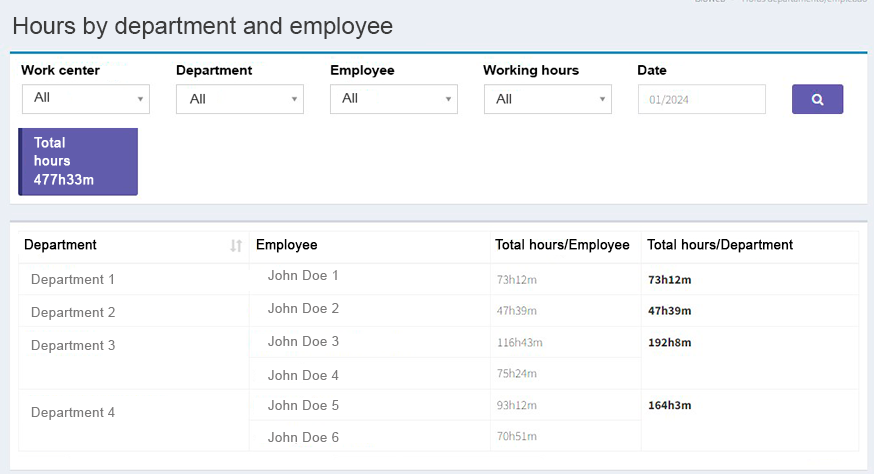
Advanced options for this report
- Apply filters and search: you can filter the results by work center, department, employee, and date. Please note that for this section to work properly you must have previously created and configured the related items (work centers, departments, employees, etc.) correctly at the pertinent sections. When you have finished selecting the filters you wish to apply to the search, click on the Search button with a magnifying icon.
- Export the report: you can export the report at the bottom of the results page by clicking on the "Export" button. Available options include: "Copy data", "save as excel, csv or pdf formats", or "print".
- Hide/Show fields: you can hide or show a column of the report at the bottom of the results page by clicking on the "Visibility of Columns" button.