Configuration
Scope
At the "Configuration" section under "Departments" you can create and edit your departments or teams.
Where to edit
At the left menu, click on "Departments" and then on "Configuration".
Departments > Configuration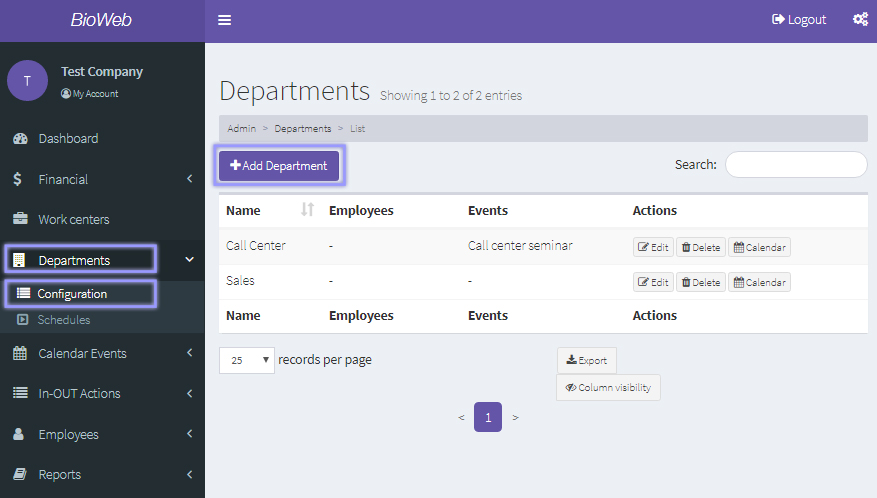
Add a department
To add a department, click on the "Add Department" button and then fill in the fields at the add department window.
- Name: name of the department.
- Country: where the office is located
- Holidays: click on "Select All" to upload the public holidays that you have previously inserted at the Calendar events/Holidays section. Click on the close button of a day if you wish to delete it from the list.
- Events: the events that you have applied to this work center at the "Calendar events/Events" section will appear here. Click on the close button of an event if you wish to delete it from the list.
Add department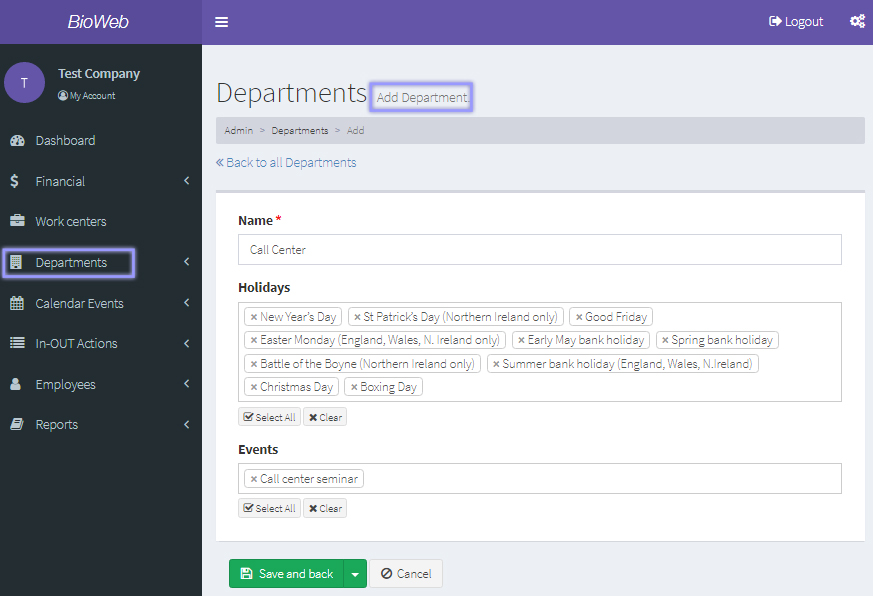
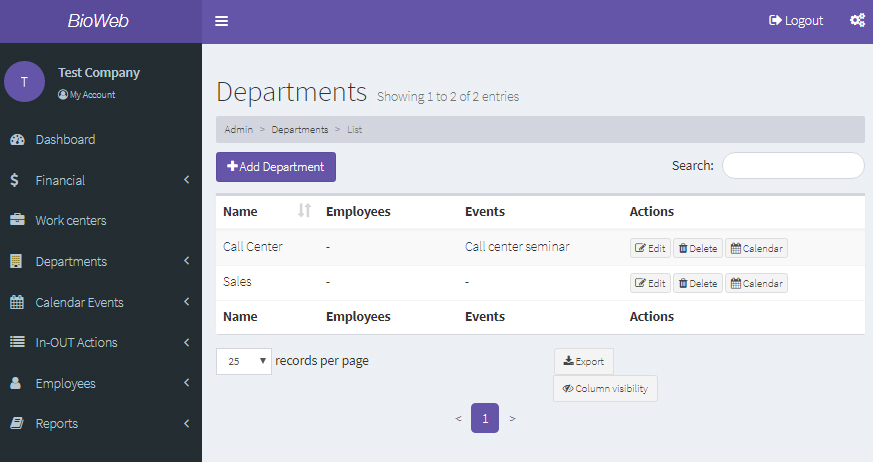
Upon filling in the department's information, click on the "Save and back" button. Your departments will appear at the work center list for you to preview, edit, delete or see its calendar:
Manage departments
Departmens list