Holidays
Scope
At the "Holidays" section at "Calendar Events" you can configure the paid holiday days that your employees are entitled to within the current year.
Where to edit
At the left menu, click on "Calendar Event"s and then on "Holidays".
Calendar events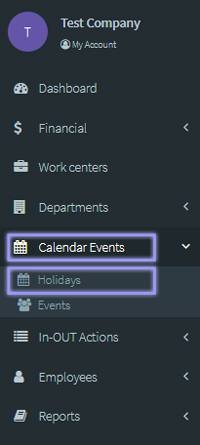
Add Holiday
Configure the holiday calendar that is to be applied by manually inserting the paid holiday days one by one by clicking on the "Add Holiday" button. You can add federal holidays, observances, bank holidays, public holidays, etc.
Calendar Events > Holidays 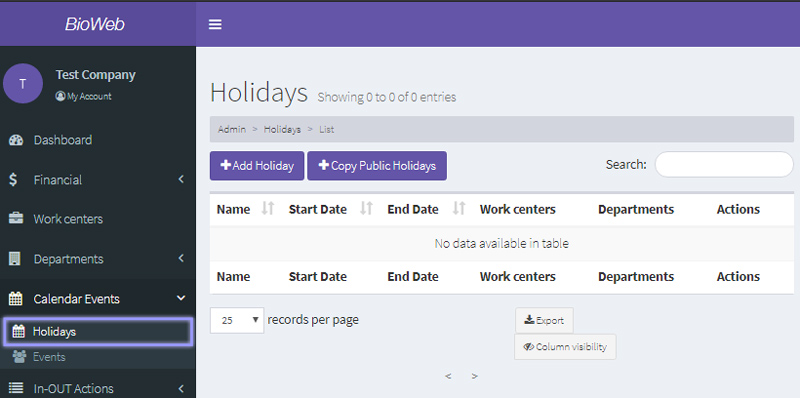
Copy Public Holidays
Bioweb has already uploaded several public holiday calendars for employers to ease the configuring of their calendar.
First, click on the "Copy Public Holidays" button to see the public holidays scheduled for the country and year. Select the check boxes of the holiday days that you wish to apply:
Holidays > Copy public holidays 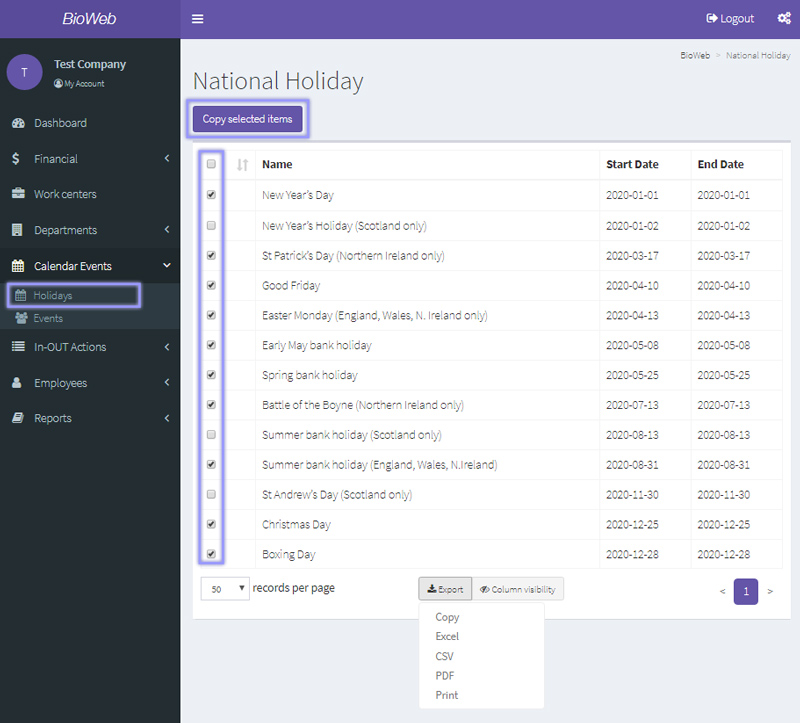
When you have finished with the selction, click on "Copy selected items" button. They will all be copied into the "Holidays" section at "Calendar Events":
Holidays > Public holidays copied.jpg)