Apps
Scope
At the "Apps" section at "Employees" you can manage the access to the service by app on an employee basis.
Where to edit
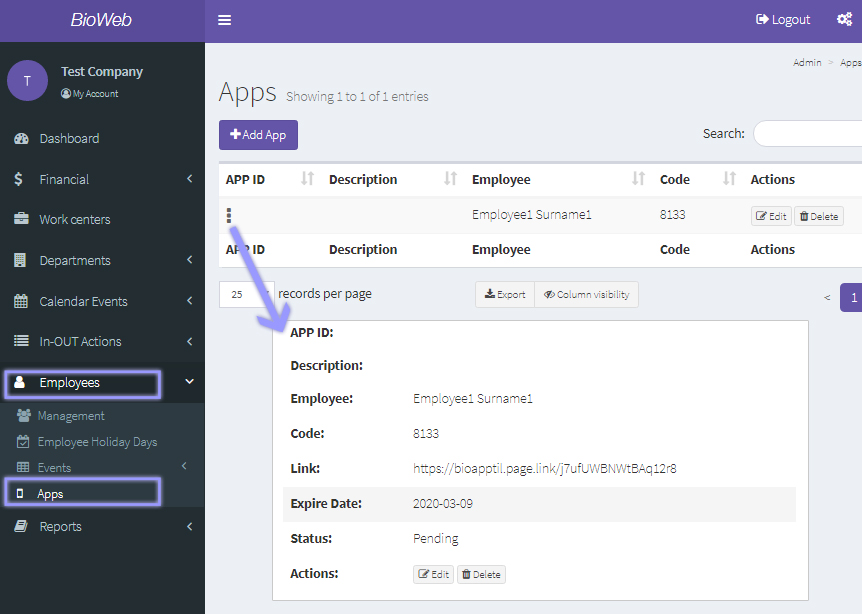
At the left menu, click on "Employees" and then on "Apps".
Employee > Apps
Add an app access
Click on the "+Add App" button to give an employee access to BioApptil, the mobile version of Bioweb.
At the "Add app" form, select the employee you wish to give access to from the drop list.
Employee > Apps > Add app to give access to an employee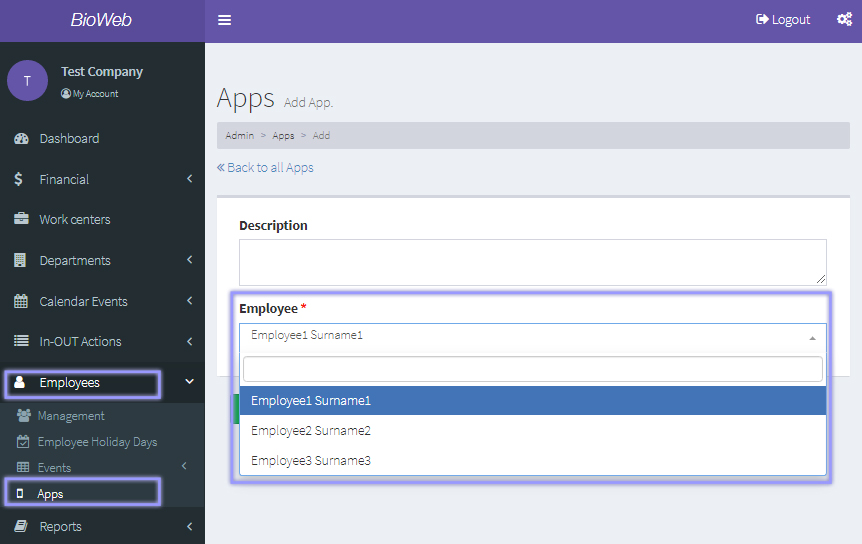
When you have finished, click on the "Save and back" button.
App list
At the app list you will see a list with all the employees that can access Bioapptil, with the following specific fields:
- APP ID: upon the employee installing the app at his mobile device, this field will be autoamtically filled in
- Code: one use code that the employee has to insert at the app once it is installed in order to access Bioapptil, along with the email address inserted when adding an employee at the "Employee> Management" section.
- More info submenu (3 dots). Click here to see the details of the app access of an employee: App ID, name and surname, code, direct link to download, expire date of the code, and status (pending, approved).
Employee > Apps > App info